
- 1 What is Clickasnap in one minute?
- 2 Is Clickasnap legit or fake?
- 3 Clickasnap User Review complaints
- 4 What you need before you start?
- 5 How Clickasnap Earnings Work?
- 6 Clickasnap sign up for free (step-by-step).
- 7 Follow routine for better results.
- 8 How to get more paid views (5‑second rule)
- 9 How to Withdraw your Clickasnap Earnings Money?
- 10 Common mistakes you should avoid in Clickasnap?
- 11 ClickASnap subscription packages
- 12 Difference between Free and Paid view
- 13 How can I change my Paid Plan to Free Plan on Clickasnap?
- 14 ClickaSnap FAQs (very short answers)
- 15 Final Conclusion
If you love photography and sharing it online, then the ClickASnap earnings app can convert your passion into profit. Unlike social media, where you get likes and comments, similarly, this Clickasnap actually pays you every time someone views your photo for at least 5 seconds; you earn $0.009. It is a real earning opportunity for creators, for photographers, and for anyone who wants to start.
Let’s start exploring how this works and what the Clickasnap payment details are, Clickasnap how to make money. How to improve photo quality—what’s the paid plan? What is the difference between free and paid views?
What is Clickasnap in one minute?
Clickasnap is a photo-sharing website and application where you can upload your own original photo. Whenever any real person or user opens that photo and looks at it for at least five seconds. Then the view count will be such a paid view count if your account is eligible. Paid views add up to small earnings; I think it’s a tiny reward for real attention.
Good for: mobile photographers, nature lovers, travelers, pet lovers, or anything original.
Not Good for: people who want to earn quick big money, upload copied images, upload AI-generated full images, or upload spam images.
Important Notes: Clickasnap earnings per view are small. So you need many paid views to reach payout. Now what is a paid view? It means when any user watches your photo for up to 5 seconds, it is counted as a paid view. Do it for the love of photography and treat money as a bonus.
Prefer audio content too? Explore our Google Audiobooks 2025 guide to turn scripts into earnings—no referrals, just simple steps.
Is Clickasnap legit or fake?
Clickasnap is legit as a platform. Many users are already sharing photos there and earning money, and some receive payouts. But you must follow rules and build a real audience.
Why people like it.
1- Simple idea: get rewards just for paying attention.
2- Mobile friendly: easy to use and capture photos with a good smartphone camera.
Clickasnap User Review complaints
- Low pay per view and takes more time to reach payout threshold.
- Rates can change over time.
- Support and renewal issues reported by many users.
My viewpoint: Not a scam, not so easy money. It is a real site with new terms and conditions and small earnings for quality sharing.
What you need before you start?
- A smartphone with a good camera; a midrange phone is also fine.
- Take original pictures; no copying from the web, no fully AI photos.
- You can do a little bit of basic editing, like cropping, exposure, brightness, white balance, etc.
How Clickasnap Earnings Work?
- A view count only when someone opens your photo.
- A paid view count when someone stays on your photo for 5 seconds or more and gets organic traffic, no bots, no fake clicks, etc.
- Earnings per paid view are small. I check many beginners misread online numbers, and they think 1 view = Rs 80; that is wrong. The amount per paid view is much less than Rs 1. You will need thousands of paid views to reach payout.
- Eligibility: paid per view earnings usually require a paid membership for monthly or annual access. Sign up for the free account, and share your original content to earn from views.
Tip: Always focus on good-quality original content and consistency because this is what can increase your views over time.
Clickasnap sign up for free (step-by-step).
1) First open your Google Play Store and search for the Claickasnap application, and you can install it from there.
Or you can go to its original website, for which you will have to open Chrome; there you search. Clickasnap.com. Then you will get the website.
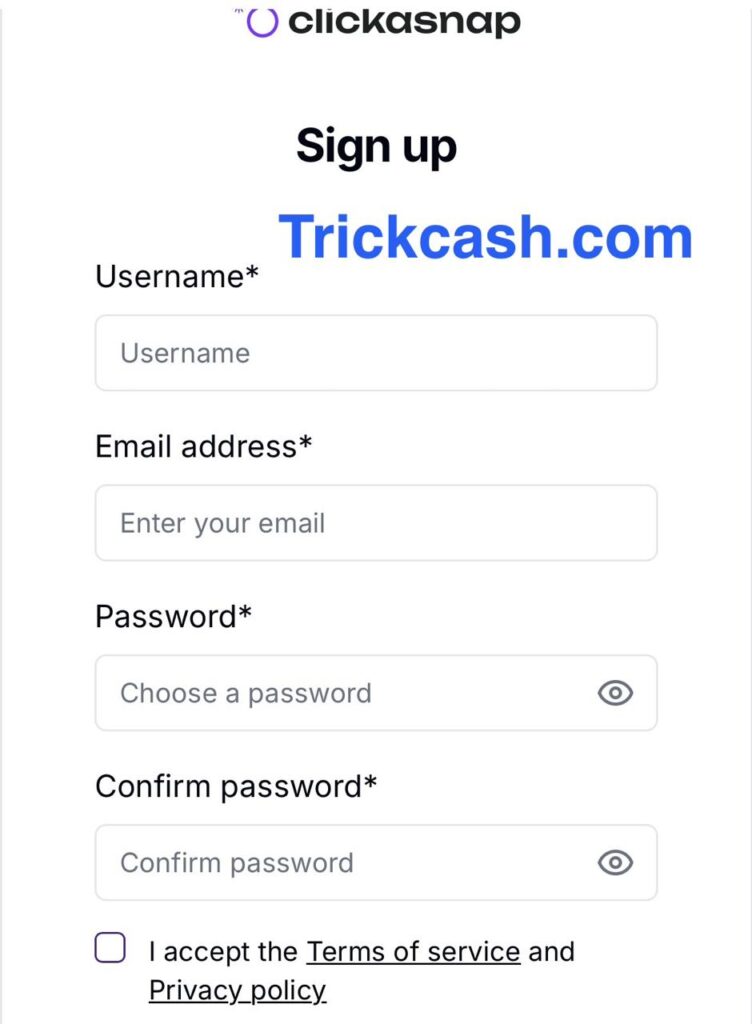
2) Tap Sign up and create your account for free with details like username, email address, and password, and before signing up, you should read the terms and conditions.
3) Now, you will see plans, so select a free or paid plan depending on your choice. But here I recommend you select the free plan first, and when you start earning well, then you can update to the paid plan.
4) As I selected the free plan, now add a display name, a short biography, and a clear profile photo.
5) Finally, the signup process is completed. Explore the feed to understand what photos perform well.
6) Upload your first photo.
Now you can upload any original picture of any category, like nature, animals, pets, flowers, etc. But we will follow the example of animals & pets.
Steps:
1. Shoot a clean photo: Your first step is to capture a clear picture of your pet, or a street dog, a bird in the park, etc. Try to use natural light.
2. Check quality on your phone: check you capture photo quality, like, the exposure is okay, the sharpness is fine, and the brightness is fine. If something feels off, you can edit it slightly, or you can capture a new photo.
3. Edit lightly: Most of the pictures need things like cropping, adjusting exposure, and white balance. So you can edit a little bit, but avoid heavy filters.
4. Upload Photo: Open the ClickASnap website/app, and upload the captured photo.
5- Add a title (short but clear), e.g., “My lovely doggy at sunset.”
6 – Description (2 to 5 lines): Describe the photo—what, where, and how you shot it.
For example, a picture captured during sunset near the park.
7. Select category: for my photo I will choose Animal & Pets.
8. Tags: Add 7 to 9 relevant tags related to dog, puppy, pet, park, sunset, and golden hour.
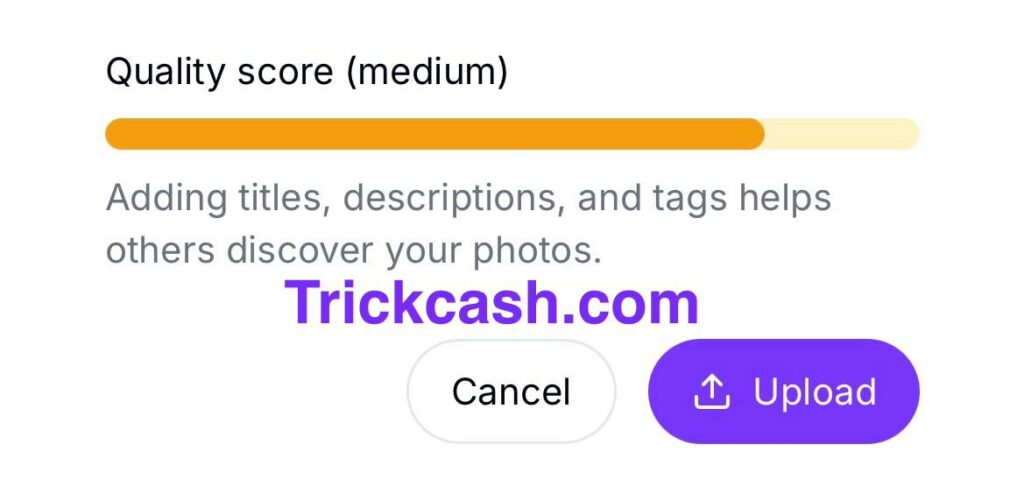
9. Final quality check before uploading photo.
10. Submit it for upload.
Tip: You should follow the proper metadata flow: title → description → category → tags → quality → submit.
Follow routine for better results.
- Post at least 3 to 5 photos per week.
- Write the description like a tiny story.
- Comment genuinely on the photo.
- Share the link to your photo on social profiles, but follow rules; don’t spam.
- Check your insights to check which photo people wait for 5 seconds. So you can upload more similar pictures.
How to improve photo quality and earn more?
Good picture quality means more engagement and more paid views. Here is how you can improve.
- Use proper lighting: Natural light is best to create stunning clarity.
- Shoot high-resolution images: Always try to upload a clear photo with no blur in the picture; otherwise, it can be rejected.
- Tell a story: with a photo that shows emotion or has meaning, you can explain it to viewers in a short description.
How to get more paid views (5‑second rule)
- Strong first frame: Create a unique, good-looking thumbnail so people stop scrolling.
- Story in the description: Add a small attractive story to keep readers for 5+ seconds.
- Upload a series, not random photos: city, dogs, cats, nature, sunset.
- Post at good times: Mornings, evenings, or weekends often get more attention.
- Engage politely: Most importantly, reply to comments and thank viewers, which shows your presence.
How to Withdraw your Clickasnap Earnings Money?
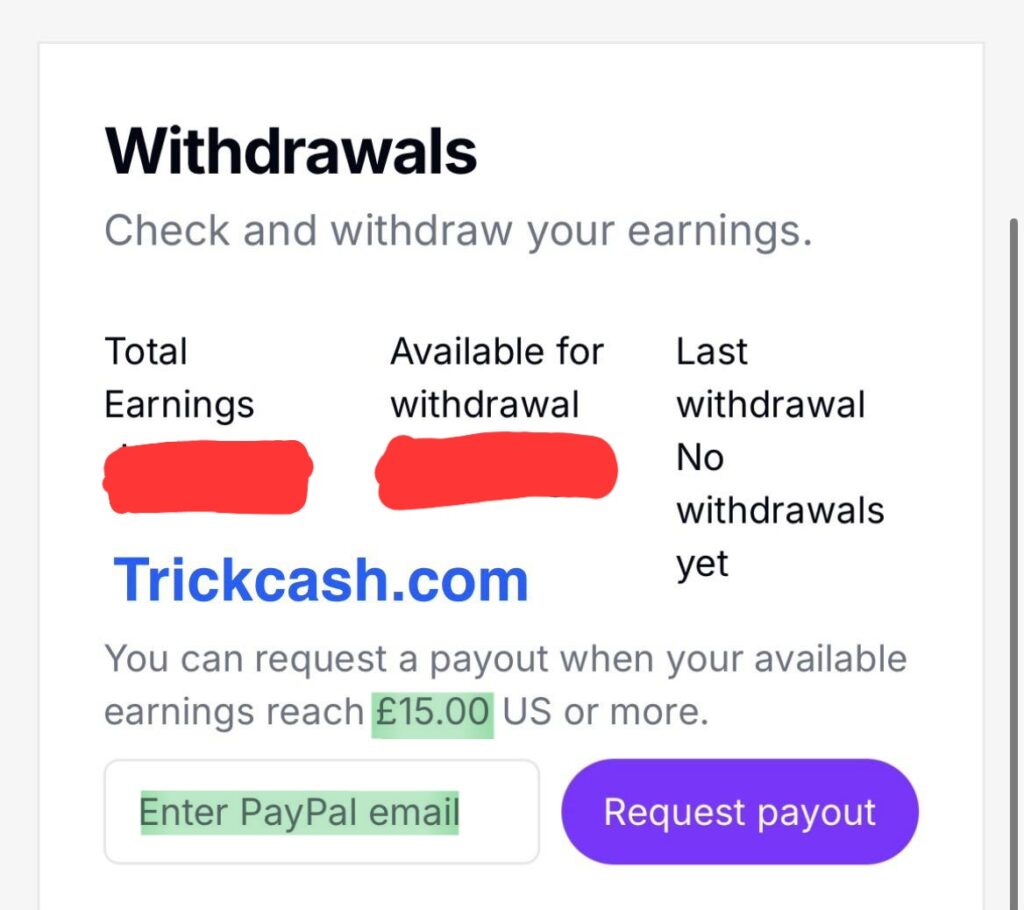
1. Open your dashboard → profile → account settings → withdrawals.
2. Add your PayPal email and make sure it is correct and verified.
3. Request a payout when your minimum balance reaches the threshold of around $15.
4. Wait for review.
Note: PayPal currency conversion fees may apply.
Common mistakes you should avoid in Clickasnap?
- User believing 1 view = ₹80 → Totally False. Pay-per-view is much smaller.
- Uploading more than 50 photos at once → looks spammy; no one spends time on each.
- Heavy filters and over‑edits → lower picture quality and user trust.
- Thin descriptions → people close fast; no paid view.
- Wrong tags/categories → your audience will not be able to find your photo.
ClickASnap subscription packages
Clickasnap app currently offers four main plans, which are designed for different levels of photographers for selling their work.
1- Free plan:
- Limited uploads
- Basic account with limited community access.
- No paid views
2- Upload plan
- Unlimited uploads
- Earn from paid views
- Create photo albums.
- Interact and share photos with the community.
3- Focused Plan:
- Unlimited photo uploading.
- Create new albums
- Follow photographers and interact in the community.
- Ad-free experience
- Paid view enabled
4- Pro Plan:
- Unlimited uploading
- Edit images, like enhanced exposure, and you can also boost your photo.
- Backup storage available for your images.
- You have the right to sell licensed content.
- Paid view option available.
Note: Always check the official website to know the latest update on the membership plan because they change frequently, so the Trickcash team is not responsible for this.
Difference between Free and Paid view
Understand the basics of how the Clickasnap website counts views: there are two types of views listed below:
- Free views: In this, anyone can view your photo, but free users cannot earn money because a policy update in July 2024 removed eligibility for free accounts. But still help you grow your visibility.
- Paid views: Only count when a viewer stays on your uploaded photo at least 5 seconds. Each paid view earns up to $0.009. For Example: suppose 1000 paid views = $9.
Note: Not every view is paid, but regularly working on high-quality photos can easily build up trust and revenue.
How can I change my Paid Plan to Free Plan on Clickasnap?
Yes, you can easily change or switch from a paid plan to a free plan anytime. For this you have to follow some steps:
- Log in to your ClickASnap account dashboard.
- Go to your account settings or membership/subscription page.
- Select cancel subscription or choose the free plan option.
- Confirm your cancellation before the next billing date.
- Once downgraded, you will still be able to keep your photos, but you will no longer earn money per view.
ClickaSnap FAQs (very short answers)
Q1: Clickasnap—how to make money?
A: By uploading original capture photos regularly. You can earn a small amount when someone views your photo for more than 5 seconds.
Q2: ClickASnap earnings—how much per view?
A: Actual rates depend on your plan for a free account, ranging from 0.1 cents per view.
Q3: Is Clickasnap legit, or is Clickasnap real or fake?
A: It is a real platform. Earnings are small per view but require patience and content quality.
Q4: Clickasnap reviews complaints—what do people say?
A: Positives: supportive community, simple idea. Complaints: low pay per view, policy changes, support/renewal issues. Always read current policies before uploading content on the ClickASnap website.
Q5: What if my paid views are low?
A: You should try to mprove thumbnail/crop, write a better story, post consistently, and use correct tags.
Final Conclusion
ClickASnap is a simple idea that rewards for real attention, not clicks. If a person opens your photo and looks more tha. 5-seconds, that view can become a paid view (when your account is eligible). The pay per view is small, so the only reliable path is: make original content, capture high quality photos, write short descriptions, post consistently, and engage honestly with the community.
Treat clickasnap earnings as a bonus, not a salary. The platform is legit, but it is not quick money. Free accounts can explore and learn; PPV usually requires a paid plan. Policies and rates may change, so always check inside your account. Focus on your craft and your audience—the two things that actually improve clickasnap how to make money over time.
If you stay patient and work regularly, your paid views will slowly grow. Keep learning, keep shooting, and let your gallery show who you are, the money will follow your improvement.
Disclaimer: This post is for education only and does not guarantee earnings. Policies, eligibility, and rates can change—always confirm in your ClickASnap account and on the official site.