
- 1 What Is MathPlus?
- 2 How to Download MathPlus (Google Play Store Only) & MathPlus App Login (Google Sign-In)
- 3 What are all the Earning methods explained with steps?
- 4 Mathplus App Minimum Withdrawal, Payment Methods & Timeline
- 5 Is the MathPlus app real or fake? Risks, Limits & Red Flags
- 6 Mathplus App Pros & Cons
- 7 Mathplus Earning App Review 2025 Troubleshooting (Ads, Surveys, Tracking)
- 8 FAQs (Mathplus Frequently Asked Questions)
- 9 Quick Summary & Verdict: Is MathPlus Real or Fake?
- 10 Final Conclusion – Mathplus Earning App review 2025
Welcome to TrickCash. This is our mathplus earning app review 2025. Many people also search it as MathPlus app Review. In this guide, we explain the app in plain words—how to download from Play Store, how to log in with Google, and how to earn from ads, quizzes, CPX surveys, offerwalls, games, referrals, and the leaderboard.
If you like taking photos, you can learn how to get paid for your pictures in our ClickASnap earnings guide
What Is MathPlus?
Math Plus is a free Android puzzle earning app launched by Rayole Opinion, where you collect coins/points by:
- watching short video ads and reading sponsored articles,
- playing and solving quick math quizzes,
- finishing offerwall tasks and CPX survey tasks,
- trying casual play-to-earn mini-games,
- inviting friends (refer & earn), and
- occasionally climbing a leaderboard to receive bonus rewards.
With the Mathplus app, check your IQ level by solving puzzles and simple math problems and earn coins. After that, you convert coins to rupees inside the app. When you hit the minimum threshold. You can request payout via UPI, Google Gift, card, PayPal, Flipkart balance, or Amazon Pay.
How to Download MathPlus (Google Play Store Only) & MathPlus App Login (Google Sign-In)
1. Firstly, open the Google Play Store and tap on the search bar “Math Plus” (Rayole Opinion).
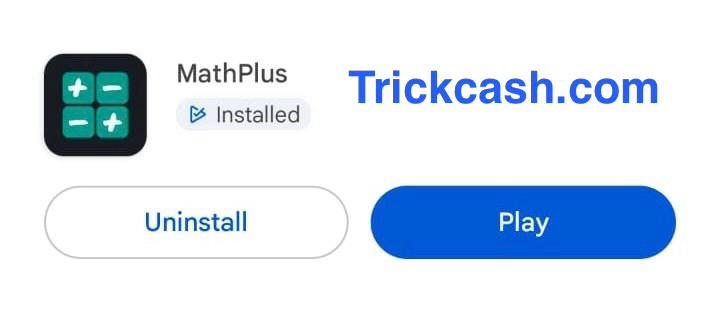
2. Now, select the app with the correct name/icon and install it.
3. Note: Avoid unofficial APK files to protect your account and payments.
> Note: Check Names and developer details because they can look similar across apps; always check the Play Store listing carefully and keep auto-updates on.
Steps for MathPlus App Login
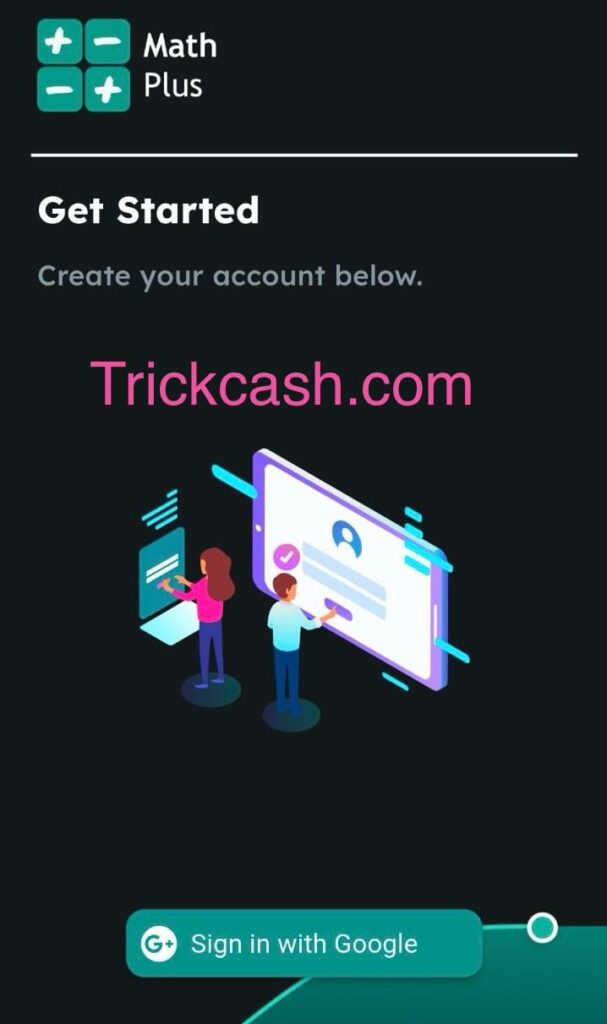
- After you have installed the app successfully, just launch the app and tap Sign in with Google.
- Some new users may see a small welcome bonus (e.g., ₹0.18 or more). By the way, when I installed, I got ₹0, but my brother got a bonus of ₹0.18.
- Now, you will see your app dashboard showing your current coins and quick shortcuts to earning sections.
- All done! Just review our full app and start your earnings by completing the given small task.
What are all the Earning methods explained with steps?
A) Super Offers
Note: quick boosters but need some device permission; read app terms & conditions clearly before you give permission.
- Open the app dashboard. In the math quiz, you will see the “Super Offers banner.” → Grant needed permissions (tracking of app usage).
- After you give permission, you will see tasks Watch Ad coins (e.g., “564 coins 23 stars”).
- Follow & complete the listed steps exactly; partial completion won’t pay.
Tip: Always read the given guide, the “How it works” guide in each task. If it says “install & open for X seconds” or “reach level 10,” do that precisely.

B) Play Quiz (Simply find it in Math Quiz, Rapid Stars)
- Go to Play Quiz → answer some basic math questions. (e.g., 5+5=?), solve it and get 1 ticket, but to collect, watch the ad & claim it.
- Short sessions can add up if you play consistently.
- Great for quick breaks and micro-earning with low mental load.
C) Ads/Articles Timer (Time-for-Coins)
- Tap on Ads or Article tasks. You will see a 10-second timer start.
- After the timer, hit Start → scroll to the bottom → solve a simple captcha → tap on proceed → another brief timer will start → Next.
- It is a typical example: I got 87 coins in 3 minutes after completing the full flow.
- If ads fail to load or tracking breaks, you may not be credited.
- This is time-based: the app pays you for attention and correct steps.
Tip: Don’t spam taps; follow the exact flow so tracking doesn’t break.
D) Invite & Earn (Referral Program)
- Go to the Invite & Earn section, and just copy/share your referral link.
- You may get ₹18.75 when your friend earns and withdraws.
- A friend may get ₹7.50 as a sign-up bonus via your link.
- Payout triggers can be conditional (e.g., only after the friend’s first withdrawal). Manage expectations accordingly.
E) Leaderboard Bonus (Performance-Based)
- You will earn coins by climbing the leaderboard.
- Reported bonus range: ₹300–₹1000 for top users.
- Highly competitive, so you should focus on consistent daily activity to rank.
F) CPX Surveys (High but Uncertain Payouts)
- Tap the CPX banner to see survey offers (win 25k gold).
- Surveys can disqualify you frequently, so don’t expect 100% success.
- Answer very honestly; inconsistent responses get filtered.
G) Play Games on Playtime (Level-Based Rewards)
- Enter Play Games → Pick a title → Complete given milestone steps.
- For example, if they ask to complete targets: Level 3 to get 211 coins or Level 11 to get 263 coins.
- Read each offer’s detail before you start playing. E.g., when the coin will be credited, per-minute coin value, rules, etc.
H) Offerwalls (Multiple Partners, Many Tasks)
- Go to Walls to view partner networks such as Pubscale, Grow Deck, etc. (offers you will get such as game installs, sign-ups, etc.).
- Check each partner’s task list, and carefully follow each and every step, like install, open, and reach level/KYC if stated.
- Sometimes coins take time to show in your balance or may not credit to your account; keep screenshots as proof.
Mathplus App Minimum Withdrawal, Payment Methods & Timeline
- Minimum withdrawal threshold: when you complete some simple tasks and your balance reaches ₹15, you can easily redeem.
- Payout Methods: There are several methods to receive payment, such as UPI, Google Play gift cards, Amazon Pay, PayPal, and Flipkart vouchers. If you use Paytm often, you can also collect and redeem Paytm Gold Coins, read our Paytm Gold Coins rewards guide for the full steps.
- Timeline: Our team observed and noted that it takes 24 hours for small amounts, but payout charges will be applied depending on how much money you are withdrawing.
- Enter payment details carefully (e.g., correct UPI ID) and keep the app updated.
Is the MathPlus app real or fake? Risks, Limits & Red Flags
Real:
- Our team redeems & reports successful payouts of ₹15 and ₹25 multiple times.
- Clear in-app conversion from coins to rupees with visible balance.
Risks & Limits:
- Survey disqualification that is very common; I suggest not depending on them to earn.
- Ad/article failures or tracking errors can block crediting.
- Offerwall tasks are strict; if you miss even one step, then you will not earn rewards.
- Leaderboard bonuses favor high-activity users; not everyone gets them.
- Mathplus app Policies and rates can change without notice, and the Trickcash team is not responsible for that.
Red Flags to Avoid:
- Unofficial APK or modified apps: Do not download any app from a third-party website or store because it will harm your device and personal account. Always download from the Google Play Store or Apple App Store.
- Fake activity: adding fake referrals, using bots, VPN abuse, or multiple accounts (ban risk).
- Sharing personal data: when you install a third-party APK, there is a high risk of sharing sensitive info during sign-ups; read partner T&Cs first.

Mathplus App Pros & Cons
Pros:
- It is totally free to join & start earning without any cash investment needed.
- You will get multiple earning options, such as math quizzes, super offers, games, CPX, surveys, article reading, referral programs, etc.
- Small-earning, quick-test withdrawals are possible.
- This app is available in the official Google Play Store.
Cons:
- Very low income (pocket money only you will get and if you want a more passive option? See our Google Audiobooks 2025 guide to understand how simple audio content can earn over time).
- Sometimes face tracking glitches and task and survey rejects, which will waste your time.
- Leaderboard and big CPX payouts are not consistent.
- You must require patience and carefully read the offer terms.
Mathplus Earning App Review 2025 Troubleshooting (Ads, Surveys, Tracking)
- Ads not loading: To solve this issue, first you have to switch data/Wi-Fi, clear the cache, and reopen the task.
- No credit coins after task: just wait because sometimes tasks take time to credit coins; if not, then contact support with screenshots.
- Survey rejects often: keep answers consistent, avoid racing or false information, and try at different times of day.
- Offerwall missing credit: verify you met every condition (e.g., time in-app, level milestones, first-time install).
FAQs (Mathplus Frequently Asked Questions)
Q1. Is the MathPlus real or fake?
It is real but limited. Our TrickCash team verified small payouts. Expect slow growth and occasional tracking issues.
Q2. How long does it take to sign up or log in?
Very fast and easy, use Google Sign-In from the app’s home screen.
Q3. What is the minimum withdrawal limit of the Mathplus app?
Around ₹15. But withdrawal charges will be applied.
Q4. Which payout methods are available?
You will get several withdrawal methods. Commonly UPI, Amazon Pay, Flipkart Voucher, Google Voucher, and PayPal (varies by account/region).
Q5. Can I earn without investment in the Mathplus earning app?
Yes, you can by solving quizzes, games, surveys, and referrals. You trade time, not money.
Q6. What if I did not get coins after a task?
You should wait for the credit; if you do not receive coins, then contact the support MathPlus teams with timestamped screenshots.
Q7. Is there a referral bonus?
Yes, of course, ₹18.75 on your friend’s first withdrawal and a ₹7.50 sign-up bonus for them. Terms can vary.
Q8. Can I use multiple accounts or a VPN on the Mathplus app?
I should say avoid it because of the high ban risk and lost earnings.
Quick Summary & Verdict: Is MathPlus Real or Fake?
Verdict: this app is legit but has limited earning. It pays small amounts for time-based tasks like watching ads, quizzes, surveys, and offerwall activities.
Evidence you can state on TrickCash: our review team reports multiple successful withdrawals (e.g., ₹15, ₹25).
Reality check: Earnings are small and slow. Surveys may be rejected many times, ads may fail to load, and tasks can be time-consuming. You treat this app as a pocket-money app, not a job.
Final Conclusion – Mathplus Earning App review 2025
MathPlus earning app review 2025 is a legit, zero-investment pocket-money earning app for 2025 that pays small amounts for simple tasks. For steady results, combine ads + quizzes + a few offerwall or survey wins, and aim for consistent daily activity.
Keep expectations realistic: this is not a replacement for full-time work, but it can cover small expenses if you are patient and follow instructions carefully.
Disclaimer: Earning rates, tasks, and payout rules change frequently, so the Trickcash team is not responsible for any activity. This review reflects testing and user notes available at the time of writing and is for information only, not financial advice. Always follow the app Terms of Service and local laws.